A Furnace Replacement Savings Example That Adds Up
August 23, 2026
Best Signs of Furnace Failure to Watch For
August 25, 2026
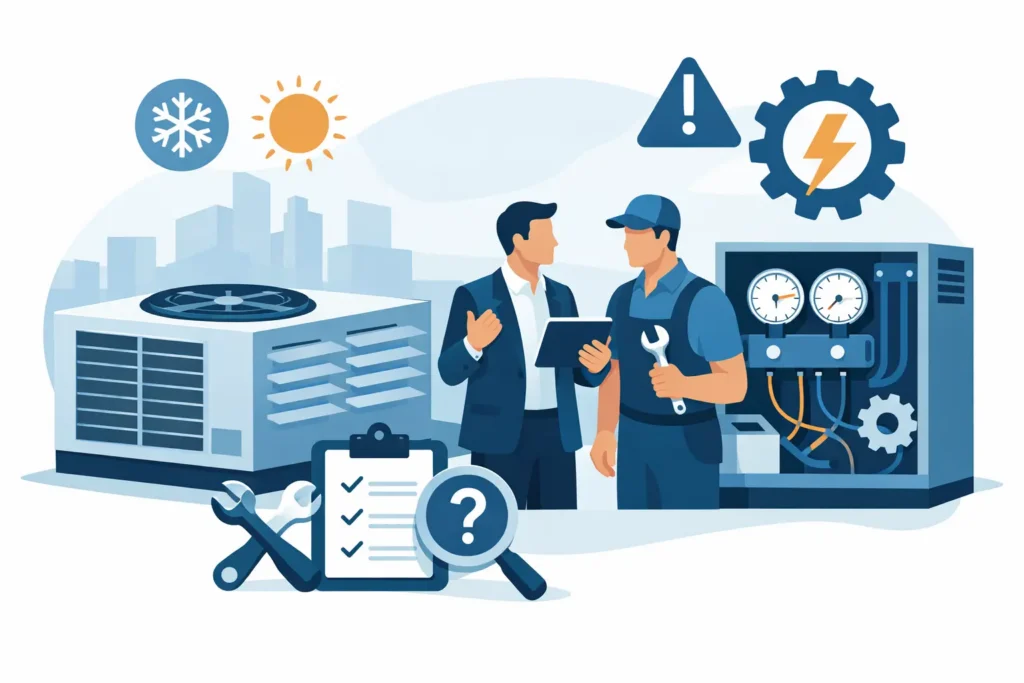
A warm office, a noisy rooftop unit, or a tenant complaint about stale air can become a business interruption quickly. This commercial HVAC troubleshooting guide helps facility managers and business owners identify what may be wrong, take safe first steps, and recognize when a qualified technician needs to take over.
The goal is not to turn your maintenance team into HVAC technicians. Commercial heating and cooling equipment is complex, and an incorrect adjustment can create a larger repair, damage equipment, or put occupants at risk. A clear process, however, can reduce downtime and give your service provider useful information before they arrive.
Start With the Complaint, Not the Equipment
Before checking the system, define the problem as specifically as possible. “The building is hot” may mean one zone is uncomfortable, the entire floor has lost cooling, or the thermostat reading does not match the actual temperature. Those scenarios point to very different causes.
Ask where the issue is occurring, when it started, whether it is constant or intermittent, and whether recent weather, renovations, occupancy changes, or power work coincided with it. Note unusual sounds, odors, water around equipment, error messages, and whether the system is running continuously or not starting at all.
This initial information matters because many commercial systems serve separate zones. A single uncomfortable conference room may involve a thermostat, damper, sensor, or airflow issue. A whole-building failure may involve a central unit, controls problem, electrical interruption, or equipment safety shutdown.
Safe Checks Before You Call for Service
Start with the items your team can verify without removing panels, bypassing safety controls, or working around energized equipment. Check that the thermostat or building controls are set to the correct mode, the temperature setpoint is reasonable, and the programmed schedule has not placed the system in unoccupied mode.
Confirm that the unit has power and that no clearly labeled disconnect or breaker has been switched off. If a breaker trips again after it is reset, stop there. Repeated tripping is a warning sign that requires professional diagnosis.
Look for visible issues around accessible equipment. A clogged filter, blocked return grille, obstructed outdoor coil, or debris around a rooftop unit can restrict airflow and reduce performance. Replace filters only with the correct size and rating specified for the system. A filter that is too restrictive can create its own airflow problems.
If you find standing water, ice, a burning smell, smoke, damaged wiring, or a strong gas odor near heating equipment, do not continue troubleshooting. Shut the system down if it is safe to do so, keep occupants away from the affected area, and request emergency service.
Commercial HVAC Troubleshooting Guide: Common Symptoms
The system runs, but the space is still too hot or cold
Start by comparing the thermostat setting with the room temperature. If the thermostat is calling for heating or cooling but the air coming from supply vents feels weak, restricted airflow may be the issue. Dirty filters, blocked grilles, a failing blower component, or a control issue can all limit air movement.
If airflow feels normal but the temperature is not changing, the equipment may not be producing enough heating or cooling. In cooling season, this could involve refrigerant, compressor, condenser, or control problems. In heating season, it may involve ignition, burners, heat pumps, or safety controls. These are technician-level repairs, particularly on rooftop systems and larger split systems.
Uneven temperatures require a more targeted approach. Check whether supply vents are closed or blocked by furniture, stored materials, or displays. If one zone repeatedly has problems while others are comfortable, document the zone name, thermostat reading, and time of day. Solar exposure, occupancy, and failed zone controls can all contribute.
The unit will not start
Verify the thermostat setting, schedule, and accessible power source first. Some commercial systems have time delays that prevent an immediate restart after a power interruption or thermostat change, so allow several minutes before assuming the unit has failed.
If the system remains off, avoid repeatedly cycling the thermostat or resetting breakers. A unit that will not start may have a failed component, a tripped safety switch, a controls fault, or a condensate overflow shutdown. Repeated restart attempts can make diagnosis harder and may stress the equipment.
Record any indicator lights or error codes visible on the thermostat or unit display. A photo and the exact code can help a technician arrive better prepared.
Water is leaking from the system
Water near an indoor air handler or mechanical room often points to a condensate drainage problem during cooling operation. A blocked drain line, failed condensate pump, cracked pan, or frozen coil can allow water to overflow.
Protect nearby flooring, inventory, and equipment, but do not remove access panels or attempt to force a blockage clear if you are unfamiliar with the system. If the unit has shut down, its float switch may be preventing additional overflow. Leaving that safety feature in place protects the property.
Water can also be a symptom rather than the primary failure. Ice on refrigerant lines or the evaporator coil may indicate poor airflow or another cooling-system issue. Turn the cooling system off and schedule service rather than trying to chip ice away.
The system is making unusual noises
A brief startup sound is normal. Grinding, squealing, rattling, banging, or persistent buzzing is not. Rattling can sometimes be caused by a loose exterior panel or debris near the unit, but it can also signal a loose internal component. Squealing may be related to belts or motors. Grinding can indicate a more serious mechanical failure.
Do not ignore a new noise simply because the system is still operating. Continuing to run equipment with a failing motor, fan, or compressor can turn a manageable repair into a major outage. Note when the noise occurs – at startup, during operation, or at shutdown – and whether cooling or heating performance has changed.
The utility bill has increased without an obvious reason
A sudden increase in operating cost often appears before a complete failure. Begin with operational changes: longer business hours, higher occupancy, new heat-producing equipment, or unusual weather can all increase demand. Then check for simple causes such as overdue filter changes, changed thermostat schedules, or doors that are regularly left open.
If operations have not changed, the HVAC system may be running longer than necessary or working harder to meet setpoint. A refrigerant issue, faulty sensor, control problem, degraded component, or poor airflow can reduce efficiency. Preventive maintenance is generally less disruptive and less expensive than waiting for that strain to become a no-cool or no-heat call.
What to Document for the Technician
A fast diagnosis starts with good information. When requesting commercial HVAC service, provide the equipment location, affected areas, thermostat or control settings, error codes, and the timeline of the problem. Include photos of visible water, ice, damaged panels, or display messages when safe to obtain.
It also helps to explain what has already been checked. Tell the technician whether filters were replaced, whether power was interrupted, whether the issue affects one zone or the entire property, and whether the equipment has recently been serviced. This reduces duplicated work and helps prioritize likely causes.
For multi-tenant properties, document tenant access requirements and the hours when the space can be worked on. The best repair plan is not always the fastest mechanical fix if it disrupts a critical meeting area, retail floor, or medical office. A qualified commercial technician can help weigh immediate restoration against a more complete repair or planned replacement.
When the Problem Is an Emergency
Some HVAC problems can wait for a scheduled appointment. Others need immediate attention, especially when comfort loss affects customers, employees, temperature-sensitive inventory, or vulnerable occupants.
Call for urgent service when there is no heating during cold weather, no cooling during extreme heat, active water damage, burning odors, smoke, repeated electrical shutdowns, gas odors, or a major system failure affecting occupied areas. Shut the equipment down when it is safe, but do not bypass a safety control to keep the system operating.
For Northern Virginia businesses, weather swings can make a minor performance issue urgent faster than expected. Same-day support helps protect uptime, but the clearest symptom details will help the repair move faster once service begins.
Keep Small Problems From Becoming Closures
The most useful troubleshooting happens before a tenant calls with an emergency. Keep filter changes on schedule, maintain clear access to equipment, review thermostat schedules after holidays or occupancy changes, and address new noises or water promptly. For properties with several units, maintain a simple service log that tracks repairs, recurring complaints, and equipment age.
AAA HVAC provides commercial heating and cooling support with qualified technicians and responsive scheduling when your system needs professional attention. When a comfort issue affects your operation, document the symptoms, protect the space, and request service before a small warning becomes lost business time.