AC Installation Versus Repair: Which Pays Off?
August 16, 2026
AC Installation for Northern Virginia Homes
August 18, 2026
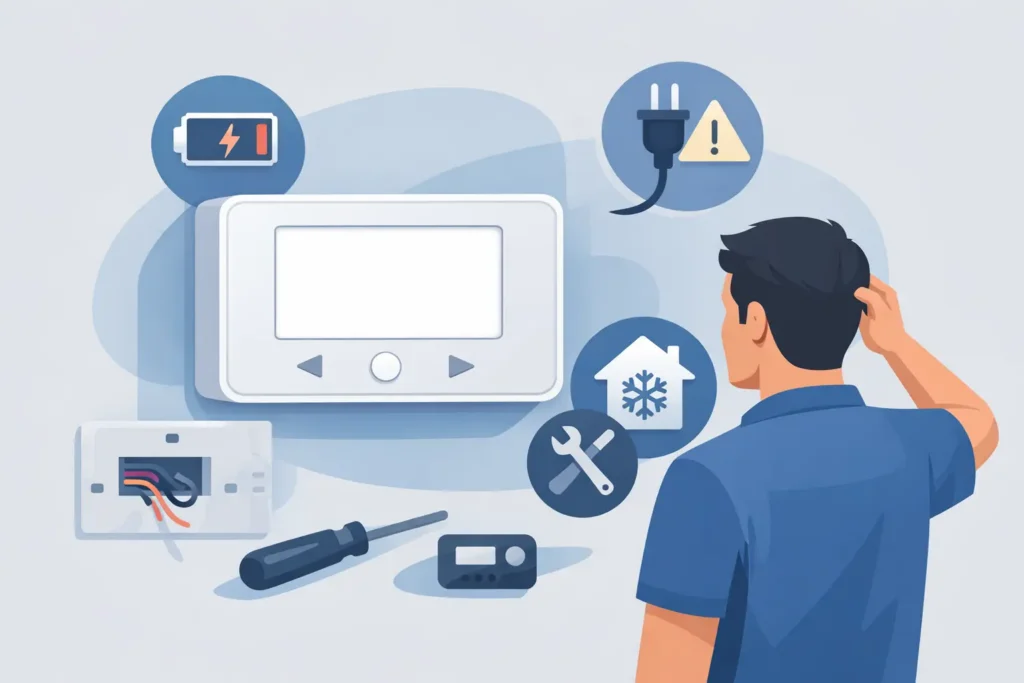
A blank thermostat can turn a normal morning into an urgent comfort problem, especially when the heat or air conditioning will not start. If you are asking, why is my thermostat blank, the answer is usually a power issue, not necessarily a failed heating or cooling system. Some causes are simple to check. Others require a qualified HVAC technician to restore power safely and prevent a larger repair.
Before removing the thermostat from the wall or resetting breakers repeatedly, take a moment to check the basics. A thermostat is the control center for your HVAC system, and a blank screen is its way of telling you that it is not receiving the power it needs.
Why Is My Thermostat Blank? Start With Power
Most modern thermostats need either batteries, low-voltage power from the HVAC equipment, or both. When that power supply is interrupted, the display goes dark and your system may stop responding.
Start by looking for any faint display, low-battery icon, or flashing message. If the screen is completely black, gently press it or tap the menu button. Some programmable and smart thermostat screens go dark while idle, but they should wake when touched.
If the display does not return, make sure the thermostat has not been accidentally switched off. Then check whether other parts of the home have power. A broader outage, tripped circuit breaker, or switched-off service disconnect can affect the indoor HVAC equipment that supplies thermostat power.
Dead or Weak Batteries
Replaceable batteries are one of the most common explanations for a blank thermostat. This is particularly true for basic programmable models and some smart thermostats that use batteries as backup power.
Remove the thermostat faceplate only as directed by the manufacturer. Install fresh batteries of the correct type, paying close attention to the positive and negative markings. Do not mix old and new batteries. Once the display comes back, confirm the date, time, temperature setting, and system mode, since some models lose their programmed settings when battery power is depleted.
If new batteries do not restore the screen, the thermostat may rely on power from the HVAC system instead. That points to the equipment, wiring, or a safety switch.
A Tripped Breaker or Power Switch
Your furnace, air handler, or boiler may have its own electrical circuit. Check your electrical panel for a tripped breaker labeled HVAC, furnace, air handler, or similar wording. A breaker that has moved to the middle position should be pushed fully to OFF before being reset to ON.
Also look for the nearby equipment switch. It often resembles a regular light switch and may be located on a wall near the furnace or air handler. It can be bumped off during storage, cleaning, or other work around the equipment.
Reset a breaker once only. If it trips again, stop there. Repeatedly resetting a breaker can damage equipment or create a safety concern. A recurring trip can be caused by an electrical fault, a failing component, or a problem within the HVAC system that needs professional diagnosis.
Check the Indoor Unit and Condensate Safety Switch
High-efficiency furnaces and air handlers often have a built-in safety feature that shuts down the system if water is not draining correctly. During cooling season, your system removes humidity from the air, creating condensate that must flow through a drain line. If the drain backs up, a float switch may cut power to protect your home from water damage.
When that happens, the thermostat can go blank because the control voltage from the indoor unit has been interrupted. You may notice water near the air handler, a full drain pan, or an unusually damp area around the equipment.
Do not bypass a float switch or force the system to run. The switch is protecting the home and the equipment. A technician can identify whether the issue is a blocked drain, failed condensate pump, damaged switch, or another system problem.
The Furnace or Air Handler Door May Not Be Closed
Many indoor HVAC units have a door safety switch. If the access panel is not seated correctly, the switch remains open and the unit cannot operate. This can happen after changing an air filter, checking the equipment, or moving items near the unit.
With the system turned off, inspect the panel and make sure it is aligned and securely closed. Do not reach into the unit or touch internal wiring. If the panel appears properly installed but the thermostat remains blank, further troubleshooting should be left to an HVAC professional.
A Blown Low-Voltage Fuse Can Shut Down the Thermostat
Your HVAC system uses a small fuse to protect the 24-volt control circuit that powers the thermostat and communicates with the equipment. A shorted thermostat wire, damaged connection, or component problem can blow that fuse. The result may be a blank thermostat, no heating or cooling, or a system that will not respond to commands.
Although the fuse itself is small, replacing it without identifying why it blew can lead to another failure. The underlying issue may be worn wire insulation, a loose connection, moisture, or a failing part inside the system. This is a good point to schedule service rather than guessing.
When the Thermostat Itself Is the Problem
Thermostats do wear out. Age, internal component failure, power surges, moisture, and poor installation can all affect the display. A failed thermostat is more likely if the HVAC equipment has power, breakers are stable, batteries are new where applicable, and the screen still will not turn on.
Smart thermostats add a few variables. A software issue, charging problem, incompatible wiring setup, or interrupted connection to the HVAC equipment may cause a black screen. Some models have a rechargeable internal battery that needs time to charge after a power interruption. If the thermostat repeatedly goes blank, however, it needs attention.
A replacement thermostat should be compatible with your heating and cooling equipment. That matters with heat pumps, multi-stage systems, whole-home humidification controls, and commercial setups. Choosing a thermostat based only on appearance or price can leave you without all the system features you need.
Safe Checks Before You Call for HVAC Repair
A few checks can help you provide useful information when scheduling service. Keep the process simple and avoid taking apart HVAC equipment.
Confirm whether the thermostat uses batteries and replace them if needed. Check that the thermostat is set to Heat or Cool, with the temperature adjusted several degrees beyond the current indoor temperature. Verify that the indoor unit’s breaker is on and that its access panel is secure. Finally, look for visible water around the indoor equipment or signs that a condensate drain issue may be involved.
If the thermostat stays blank after those checks, or the breaker trips again, it is time to stop troubleshooting. Do not handle exposed wiring, bypass safety switches, or continue cycling the power. Those steps can make a minor issue more expensive and can put the system at risk.
When a Blank Thermostat Is an Urgent Issue
A blank screen deserves prompt attention when outdoor temperatures are extreme, vulnerable family members are in the home, or a business depends on reliable climate control. It is also urgent if you smell burning, see water around the indoor unit, hear unusual electrical buzzing, or have a breaker that will not stay on.
For homeowners and property managers in Northern Virginia, same-day HVAC service can make the difference between a short interruption and an uncomfortable night. AAA HVAC technicians can trace the power path from the thermostat to the indoor equipment, identify the cause, and explain the repair before work begins.
A thermostat screen may be small, but it is connected to the system that keeps your space comfortable. Treat a blank display as an early warning, use only the safe checks above, and get qualified help before a loss of power becomes a larger heating or cooling problem.